Profiles
Overview
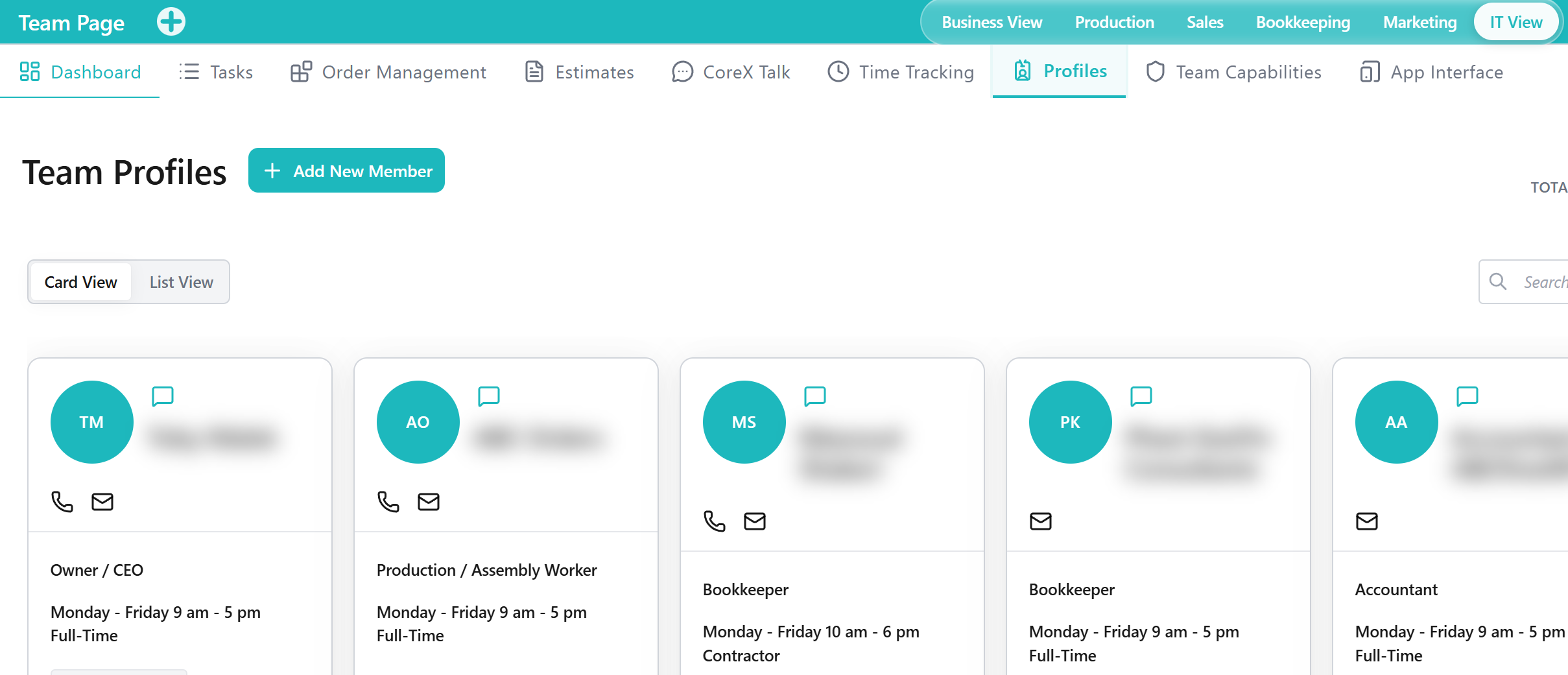
The Profiles Tab is a Tool within the Team Application for maintaining team member profile information used across team operations. It supports keeping staff records current for operational coordination and access management.
Profiles is where your organization stores who people are — identity, contact details, role assignment, and related profile fields that other Team Tabs depend on.
When to Use This Tool
- When you need to review or maintain team member information
- When you want staff records kept current to support operational coordination
- When profile information is required to support access and responsibility alignment
- When onboarding a new team member or updating an existing profile
What You Can Do in This Tab
- Review team member profile information used by other Tabs
- Maintain profile information for operational consistency
- Add and update team members who appear in the team directory
- Support organizational coordination by keeping team records accurate and current
How This Tab Fits in the Application
The Profiles Tab supports the Team Application by providing a consistent source of team member information. It complements capability and access management by ensuring staff records are available and maintained.
Use Team Capabilities to define what roles can do, and App Interface to control where users can work. Profiles defines who those users are.
Notes and Limitations
- Visibility and editable fields can vary based on capabilities and access rules.
- The accuracy of Outputs depends on profile information being maintained consistently.
- Some staff record requirements may be defined by internal policy outside the Application.