Order Management
Overview
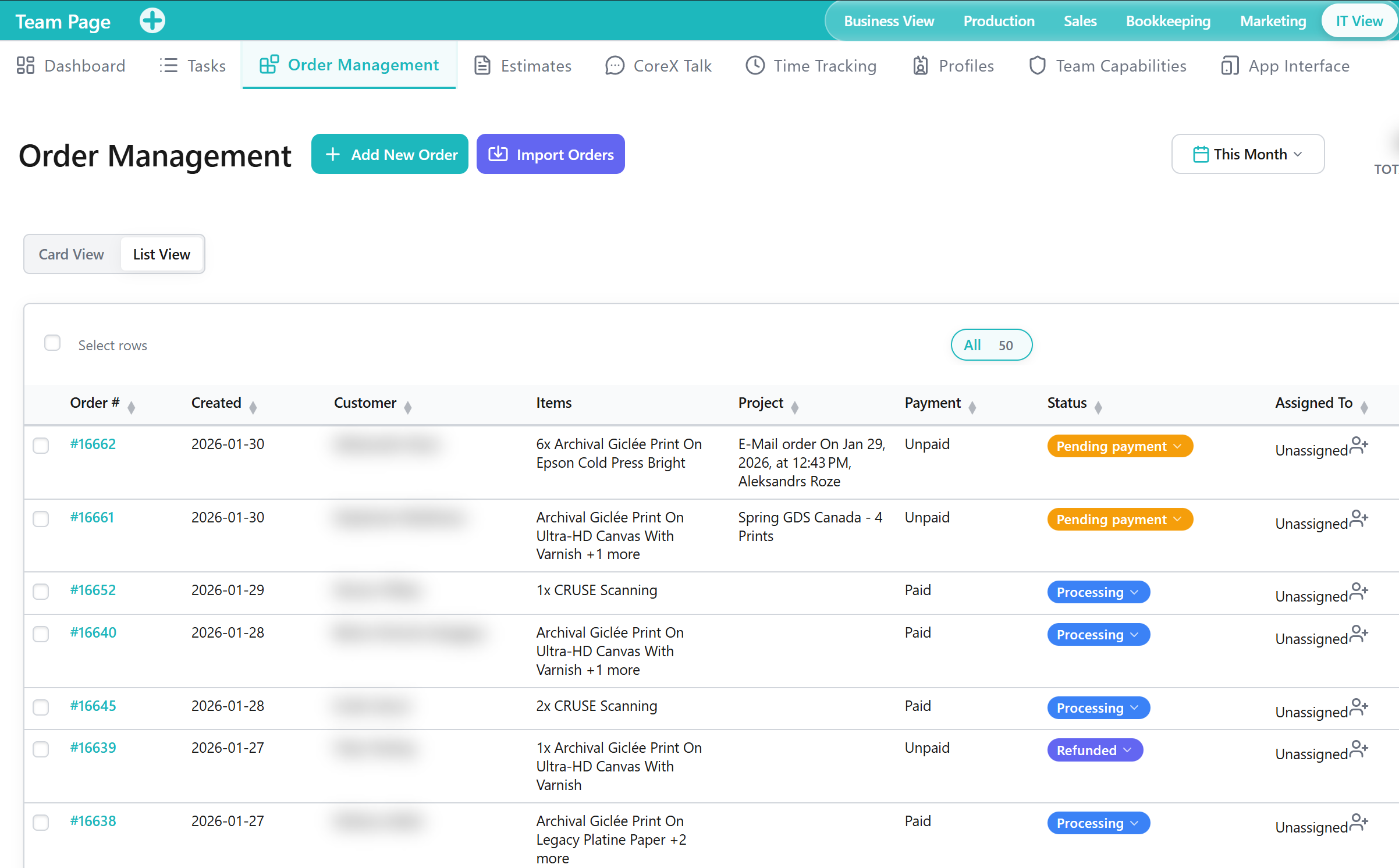
The Order Management Tab is a Tool within the Team Application for coordinating order-related work across the team. It supports operational alignment by keeping order-focused responsibilities and status visible.
When to Use This Tool
- When you need an operational view of order-related work for coordination
- When you want to align responsibilities across team members for order execution
- When you need visibility into order-oriented activity to support follow-up and planning
What You Can Do in This Tab
- Review Outputs related to order work and operational status
- Coordinate team responsibilities tied to orders
- Identify order-related items that require follow-up in other Tabs
How This Tab Fits in the Application
The Order Management Tab supports the Team Application by focusing on coordination of order execution. It complements Tasks (general work tracking) by providing an order-oriented view of operational activity.
Notes and Limitations
- Visibility and available operations can vary based on capabilities and access rules.
- The usefulness of Outputs depends on consistent operational updates across the team.
- Detailed order record management may be handled in other Applications that own the underlying order data.
- The order list is loaded from the Accounting API (
sales-orders), backed by WooCommerce HPOS (wc_orders) when High-Performance Order Storage is enabled. New shop orders should appear even if WooCommerce analytics stats have not synced yet.
Technical reference (developers)
See the corexbiz-core repo:
documentation/team/ORDER_MANAGEMENT_ONBOARDING.mddocumentation/team/ORDER_MANAGEMENT_SHIPPING_TRUCK_ICON.md— shipping truck icon and handoff status scenarios on order cardsdocumentation/team/ORDER_MANAGEMENT_PRODUCTION_FILTERS.md— production filter pills, counts, predicates, and performance modeldocumentation/accounting/ORDER_SEARCH_REPOSITORY.md