App Interface
Overview
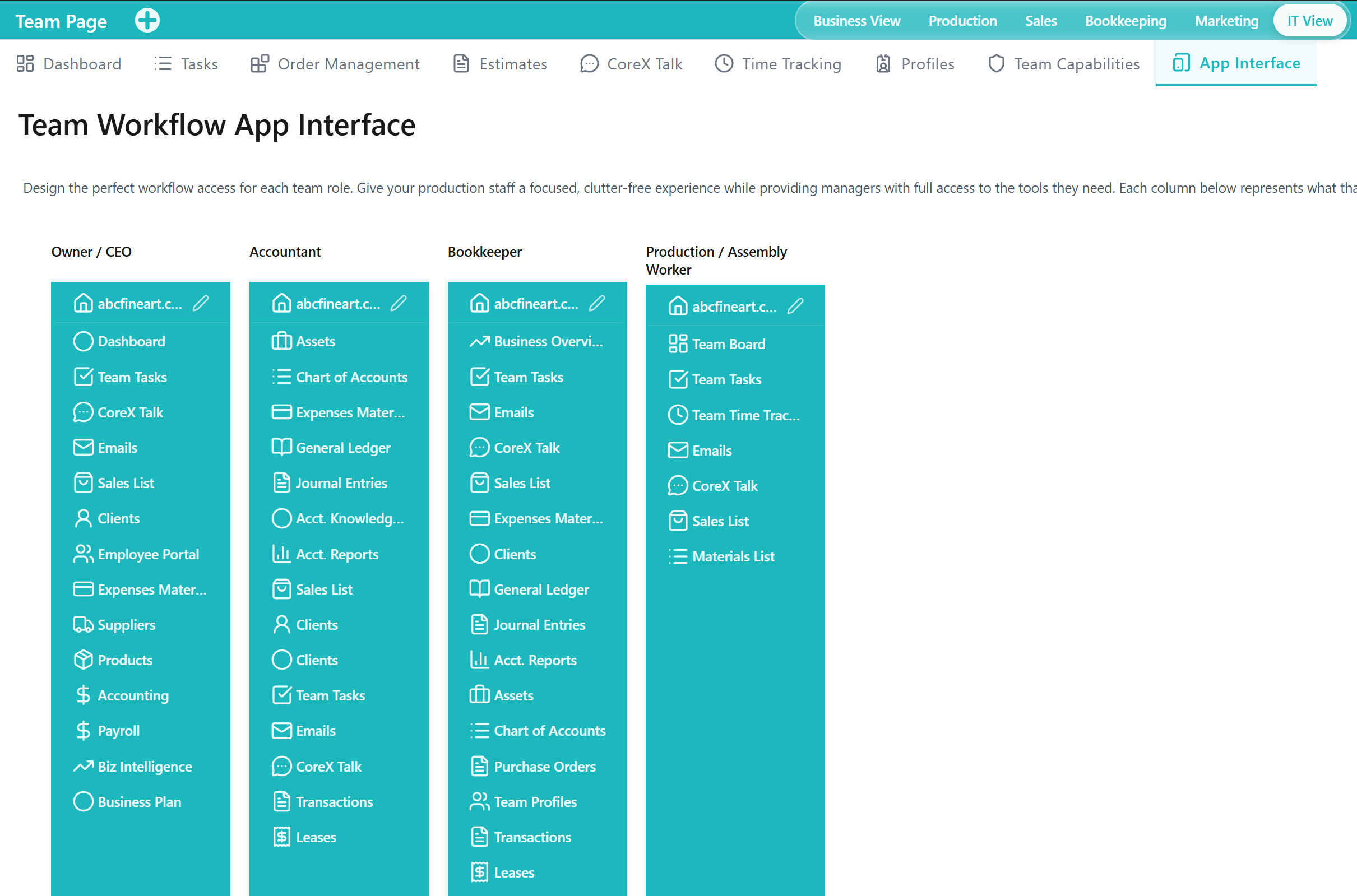
The App Interface Tab is a Tool within the Team Application for structuring which Tabs are available in different application contexts. It supports aligning the Team Application experience with how different roles and work areas operate.
When to Use This Tool
- When you need to structure access to Tabs for different types of users or work areas
- When you want the Team Application to expose only the relevant Tools for a given context
- When you need to maintain consistent navigation boundaries aligned with responsibilities
What You Can Do in This Tab
- Review Outputs that reflect how team access is organized across application contexts
- Maintain which Tabs are available for different usage contexts
- Support operational clarity by limiting access to only the relevant Tools for a given role or focus area
How This Tab Fits in the Application
The App Interface Tab supports the Team Application by shaping how team members navigate and access Tools. It complements Team Capabilities (what users can do) by controlling which Tabs are exposed in different contexts.
Notes and Limitations
- Tab visibility can vary based on both App Interface configuration and user capabilities.
- Changes can impact how users navigate and complete operational work.
- This Tab governs access structure; detailed permission control is handled via capabilities.